
Genjutsu
Transform one video into endless variations with AI.
Overview
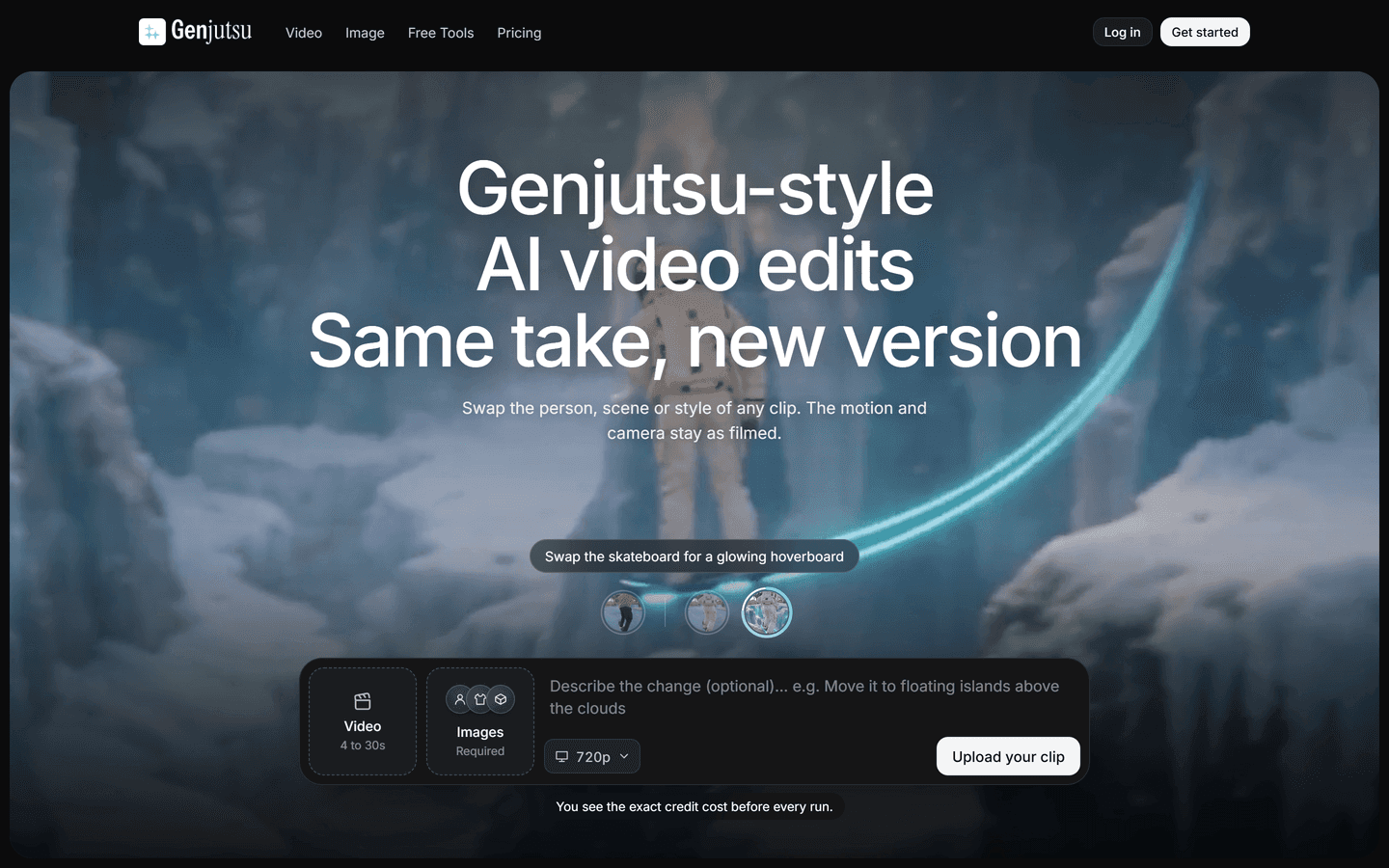
Genjutsu is an AI video editing tool that creates variations from an existing clip. Users upload a single take lasting 4–30 seconds and describe what they want to change, such as the person, location, props, weather, or visual style. The tool preserves the source footage’s motion, camera movement, and timing.
Saved personas help maintain a consistent character across videos. A studio editor supports cutting footage, adding captions, and music. Use cases include UGC ad variations, AI influencer content, localized campaigns, and brand restyles.
Plans start at $19 per month and include commercial rights. Generation uses credits, with the exact cost displayed before each run.
Core Features
Character replacement: Change the person while retaining their performance, gestures, and movement.
Reusable personas: Unlimited saved personas on every plan for consistent faces, hair, and style.
Scene changes: Replace locations, weather, lighting, or time of day.
Visual restyling: Examples include 1990s anime and stop-motion claymation.
Object swaps: Change a selected object or prop.
Combined edits: Change the person and setting in the same prompt.
Motion preservation: Maintain the source clip’s movement, camera path, and timing.
Use Cases
UGC ad variations: Turn one recorded ad into multiple versions with different creators, settings, or styles.
AI influencer content: Reuse saved personas to keep characters consistent across videos.
Localized campaigns: Adapt locations and settings for different audiences.
Character replacement: Change the person on screen while preserving the original performance.
Video restyling: Transform footage into anime, claymation, or other visual styles.
Product and prop swaps: Replace selected objects within an existing clip.
Scene changes: Adjust backgrounds, weather, or time of day without reshooting.
Creative testing: Compare different visual concepts while keeping the movement and timing consistent.
Pros & Cons
Pros
- Preserves original motion and camera exactly
- One prompt covers motion transfer and swaps
- Unlimited reusable personas on every plan
- Multiple video models available in one subscription
- New clips land in the studio editor automatically
- Transparent credits cost before each run
- Commercial rights included on paid plans
- Fast iterations from a single filmed take
- Good for localized and A-B testing workflows
- Simple UX with no masking or tracking required
Cons
- Source clips must be single continuous shots
- Limited to 4-30 second source clips
- Complex scenes may increase render time
- Using real faces requires legal permission
- Artifacts possible with heavy motion blur
- Large scene edits can be computationally intensive
- Certain styles may need multiple runs to refine
FAQs
Genjutsu Alternatives

Hailuo AI
AI Video Generator from Text & Image

Vmake
AI Social Video Studio

Wondershare Filmora
Edit as an Expert with Filmora AI

RunComfy
RunComfy: Top ComfyUI Platform - Fast & Easy, No Setup

Wondershare Virbo
Generate Engaging AI Videos in Minutes!

Wan AI
Generate cinematic videos from text, image, and speech

Higgsfield AI
Cinematic AI video generator with pro VFX control

Zawa
AI Branding Design Agent

Viggle AI
Remix anyone into viral meme videos

Google Veo 3
Fast, realistic text-to-video with native audio

Animon AI
Create anime videos for free

Leonardo AI
AI Image Generator for Art, Video & Design

MindVideo AI
Free text-to-video maker with 4K AI effects

Dreamina AI
Dreamina AI - Text-to-Image and Video Creator

Pippit AI
Free AI video generator for e-commerce and social

Dzine AI
Controllable AI image and design studio

Token360
One API for 80+ frontier AI models across text, image, audio and video.

AI Influencer Generator
Sceneform.ai is an AI platform for creating realistic virtual influencers, UGC ads, talking avatars, and short-form social videos at scale.
Featured

AI Image Humanizer
Humanize AI-generated images while preserving their visible appearance

RemoveAILabel
Remove AI labels and watermark traces from images and videos

Referent
AI legal agents for law firm operations

C2PA Remover
Check and remove C2PA content credentials

Adobe Firefly Background Remover
AI tool that removes photo backgrounds and outputs a transparent PNG — free to use.
Genjutsu
Transform one video into endless variations with AI.

Claude Mark Remover
Remove hidden Claude marks and humanize AI-generated text.

AI Overviews Tracker
Track website mentions and citations across six AI engines

Answer Engine Optimization
See how AI answer engines mention and cite your website.

CommentWatchDog
Hide and delete spam comments on Facebook and Instagram ads

WasItAI
Detect whether an image was AI-generated or camera-captured.
Token360
One API for 80+ frontier AI models across text, image, audio and video.