Vmake
AI Social Video Studio
Overview
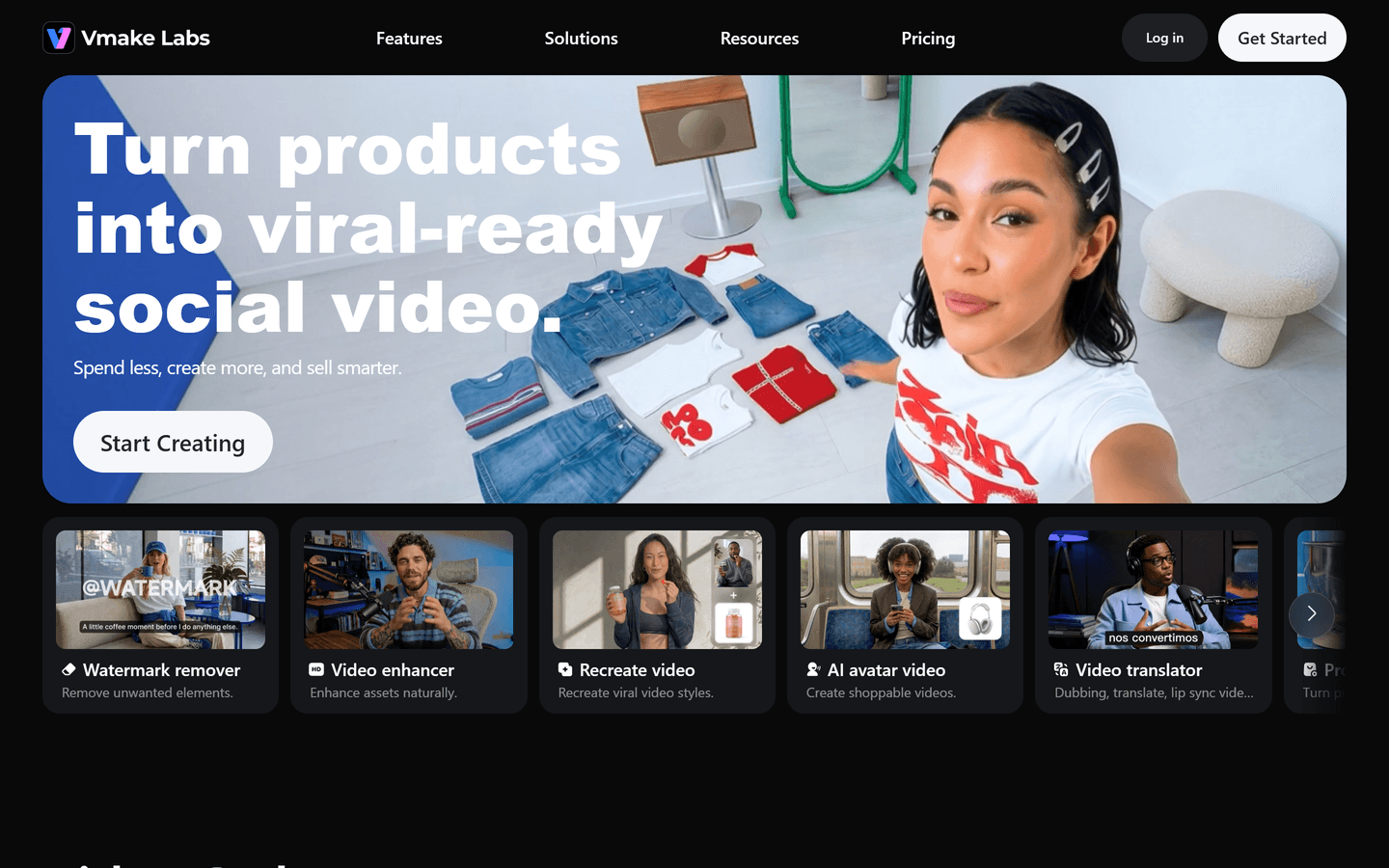
Vmake is an AI Social Video Studio built for small businesses, creators, ecommerce sellers, marketers, and social media teams. It helps users create, enhance, edit, and optimize social and UGC-style videos without requiring advanced video-production skills.
From generating creator-style product videos to improving low-quality footage, adding captions, removing watermarks, and preparing content for social platforms, Vmake brings common video workflows into one practical workspace. The platform is designed to help teams produce more engaging content faster for acquisition, conversion, and growth.
Core Features
UGC Video Generator
Turn product ideas and assets into creator-style UGC videos for ads, product pages, social posts, and ecommerce campaigns.AI Avatar Generator
Create avatar-led videos for product explanations, promotional content, tutorials, and social marketing.AI Video Enhancer
Improve video clarity, sharpness, and overall visual quality for footage affected by low resolution, blur, compression, or poor lighting.Video Watermark Remover
Remove unwanted watermarks, logos, text, and visual distractions from videos while preserving a natural-looking result.Auto Caption Generator
Generate captions automatically to make videos easier to follow, more accessible, and better suited to sound-off social viewing.AI Video Editing Tools
Access a range of tools for editing, polishing, repurposing, and optimizing short-form video content in one workflow.Social Content Optimization
Create and refine videos designed for social media performance, helping teams produce content more efficiently across organic and paid channels.
Use Cases
E-commerce Product Marketing
Create UGC-style product videos, demonstrations, product explainers, before-and-after content, and short social ads that make products easier to understand and more compelling to buy.
Social Media Content Creation
Help creators and social teams produce polished Reels, TikToks, Shorts, and other short-form videos faster, including captioned and enhanced versions of existing footage.
Video Repurposing
Improve and reuse older video assets by enhancing low-quality clips, removing unwanted marks or text, adding captions, and adapting content for new campaigns or platforms.
Small Business Promotion
Give small businesses a practical way to produce professional-looking promotional videos without a full in-house production team or complex editing software.
Marketing Campaign Production
Support marketers with faster creative testing and content production for product launches, paid social campaigns, landing pages, and conversion-focused video assets.
Ideal Users
Small businesses
Ecommerce sellers
Content creators
Social media managers
Digital marketers
UGC creators
Growth teams
Agencies managing social video campaigns
Pros & Cons
Pros
- Platform-native UGC output optimized for social
- Fast one-image to video workflow
- Built-in watermark and background removers
- AI avatar support for shoppable videos
- Auto captions and video-to-text tools
- Multiple generation models for varied styles
- Credit-based freemium to trial features
- Export options up to 4K on paid plans
- Mobile app and desktop workspace available
- Designed for conversion, not just production
Cons
- Some advanced models require paid plan credits
- Very high-res exports limited to premium tiers
- Complex custom edits may need manual refinement
- Automated avatars may need retouching for brand fit
- Large batch jobs can consume credits quickly
FAQs
Video Review
Vmake Alternatives

Dzine AI
Controllable AI image and design studio

Leonardo AI
AI Image Generator for Art, Video & Design

Dreamina AI
Dreamina AI - Text-to-Image and Video Creator

Zawa
AI Branding Design Agent

Wan AI
Generate cinematic videos from text, image, and speech

MindVideo AI
Free text-to-video maker with 4K AI effects

Wondershare Virbo
Generate Engaging AI Videos in Minutes!

Token360
One API for 80+ frontier AI models across text, image, audio and video.

RunComfy
RunComfy: Top ComfyUI Platform - Fast & Easy, No Setup

Wondershare Filmora
Edit as an Expert with Filmora AI

Higgsfield AI
Cinematic AI video generator with pro VFX control

Animon AI
Create anime videos for free

Viggle AI
Remix anyone into viral meme videos

Pippit AI
Free AI video generator for e-commerce and social

Hailuo AI
AI Video Generator from Text & Image

Google Veo 3
Fast, realistic text-to-video with native audio

AI Influencer Generator
Sceneform.ai is an AI platform for creating realistic virtual influencers, UGC ads, talking avatars, and short-form social videos at scale.
Featured

Referent
AI legal agents for law firm operations

RemoveAILabel
Remove AI labels and watermark traces from images and videos

C2PA Remover
Check and remove C2PA content credentials

Answer Engine Optimization
See how AI answer engines mention and cite your website.
Vmake
AI Social Video Studio

Claude Mark Remover
Remove hidden Claude marks and humanize AI-generated text.

AI Image Humanizer
Humanize AI-generated images while preserving their visible appearance

CommentWatchDog
Hide and delete spam comments on Facebook and Instagram ads

WasItAI
Detect whether an image was AI-generated or camera-captured.
Token360
One API for 80+ frontier AI models across text, image, audio and video.

Wondershare Dr.Fone
Your One-Stop Complete Mobile Solution