To protect your privacy with AI tools, keep sensitive details out of your prompts, turn off model training in each app's settings, use temporary chats for anything personal and delete what you no longer need. Use a work account for work data, and run a local model for anything truly confidential. The twelve tips below show you exactly how, including where the settings are in ChatGPT, Claude and Gemini.
Whatever you type into an AI chatbot is sent to the company's servers, stored for a while and, on many personal plans, may be used to train future models or be read by human reviewers. That's fine for a dinner recipe. It's not fine for your passport number, a client's contract or a medical report. Read more about AI privacy.
1. Know what never to paste into an AI tool
As a rule, keep these out of any cloud AI tool unless your company has approved it for that data:
- Passwords, recovery codes, API keys and bank or card details
- ID numbers: passport, national ID, social security, tax numbers
- Medical records and health details you wouldn't share publicly
- Other people's personal data: customers, patients, students, employees
- Confidential business material: unreleased financials, contracts, source code your employer hasn't cleared
- Anything covered by an NDA or professional secrecy
Google's own Gemini privacy notice puts it plainly: don't enter confidential information that you wouldn't want a reviewer to see.
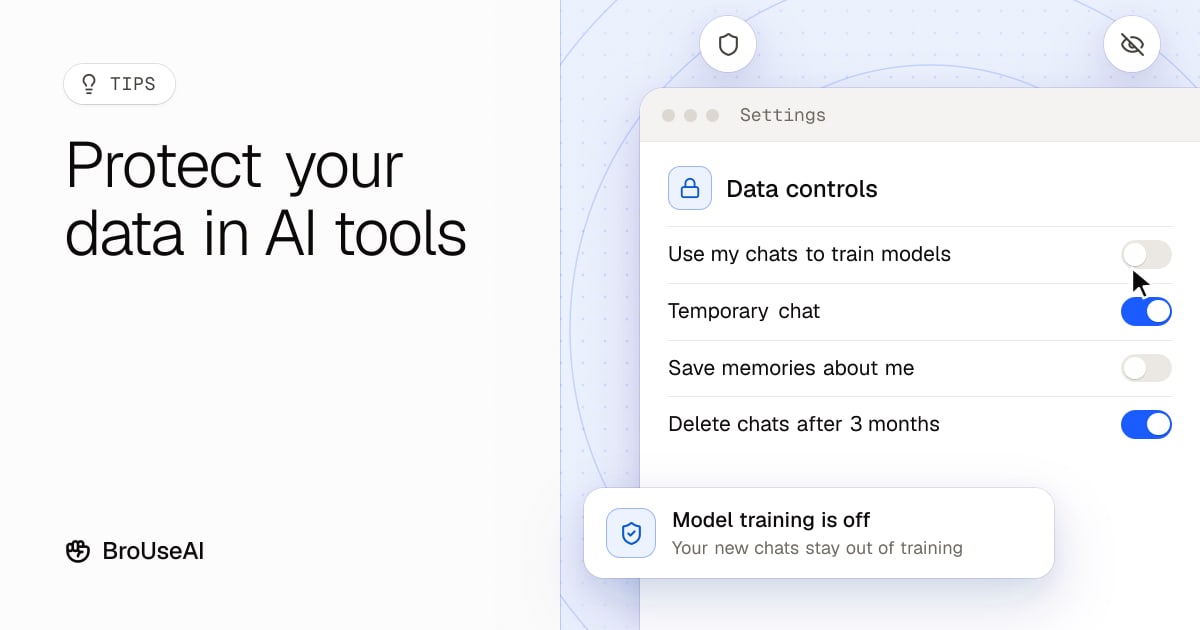
2. Turn off model training
Most assistants let you stop your chats from being used as training data. The settings on personal plans, as of November 2026:
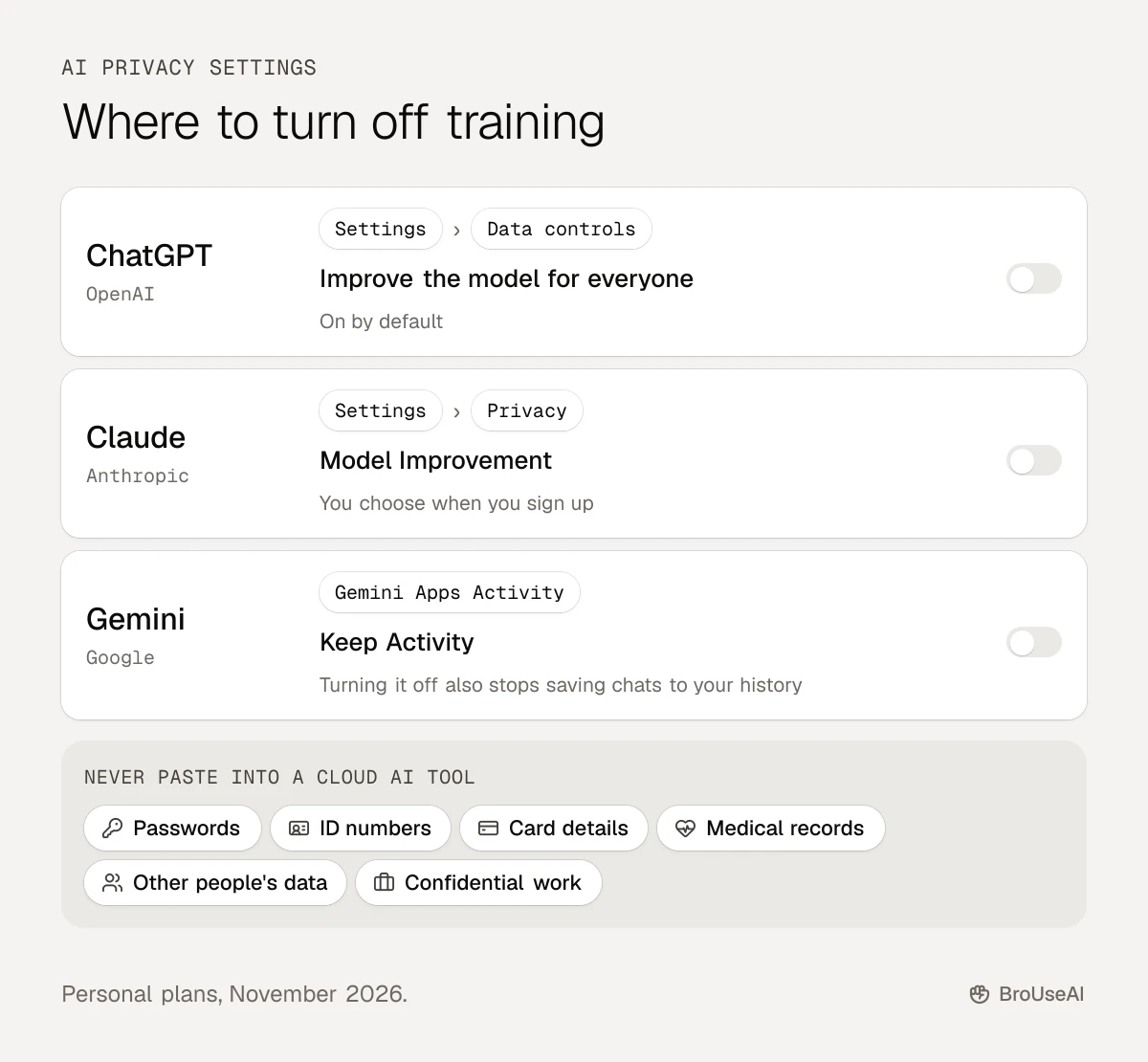
Turning training off applies to new chats, not to data already used in past training. With Gemini, turning off Keep Activity also stops chats from being saved to your history, and they're kept for 72 hours.
3. Use temporary or incognito chats
For one-off sensitive questions, use the private chat mode:
- ChatGPT Temporary Chat: not saved to your history, not used for training, deleted from OpenAI's systems after 30 days.
- Claude incognito chats: not used to improve Claude, even if Model Improvement is on.
- Gemini temporary chats: not used to train Google's models, kept for 72 hours.
Note that "temporary" doesn't mean "never stored": providers keep these chats for a short time for safety and abuse checks.
4. Think before you click thumbs up or down
Feedback buttons often send the whole conversation to the company for review. Anthropic, for example, says it may keep conversations you rate for up to five years, de-linked from your account, and use them for training. Google says feedback can still be used even when Keep Activity is off. Skip the feedback buttons on sensitive chats.
5. Review what the AI remembers about you
Many assistants now have memory: they save facts about you, such as your job, family or health, to personalise later answers. Open the memory or personalisation settings every few months, delete anything you don't want kept and turn memory off if you'd rather start fresh each time.
6. Delete old chats and set auto-delete
Old chats are a privacy risk if your account is ever compromised. Delete conversations you don't need. Gemini lets you set activity to auto-delete after 3, 18 (the default) or 36 months. Remember that chats already picked for human review may be kept separately: Google keeps reviewed Gemini chats for up to three years, even if you delete your activity.
7. Limit connectors, plugins and agents
Connecting an assistant to your email, calendar, cloud drive or browser is powerful, but it also gives the AI, and anyone who can trick it, access to everything there.
- Connect only what a task needs, and disconnect apps you no longer use
- Prefer read-only access where you can
- Be careful when an AI agent reads web pages or emails from strangers: hidden instructions can try to make it leak data, a trick called prompt injection
- Keep a human in the loop by approving any action that sends, shares or deletes
8. Use a work account for work
If your employer provides an AI tool, use it for work data instead of your personal account. Business and enterprise plans from OpenAI, Anthropic, Google and Microsoft (Microsoft Copilot) don't use your content for training by default, and they add admin controls, data retention settings and contracts that meet privacy law. Pasting company data into a personal account may break your company's rules even if the AI tool is safe.
9. Remove names and details before you paste
You can often get the same help without the private parts. Replace names with roles ("Client A", "my manager"), round off numbers, cut addresses and account numbers, and paste only the part of a document the AI needs. The answer is usually just as good.
10. Run sensitive work on a local model
For truly confidential material, run an AI model on your own computer with a free app such as Ollama. Nothing leaves your machine. Our tutorial on running AI models locally shows you how in about ten minutes. Read more about local AI.
11. Read the privacy policy of smaller AI apps
Big assistants publish detailed privacy controls. Many small AI apps and AI wrappers don't, and they may send your data to several other companies. Before uploading anything personal, check:
- Is your data used for training, and can you opt out?
- How long is it kept, and can you delete it?
- Which other companies (model providers, analytics) receive it?
- Where is it stored, and does the company follow laws like GDPR?
If you can't find clear answers, treat the app as public. Our checklist for choosing an AI tool includes these questions.
12. Secure the account itself
The simplest privacy win: protect your AI accounts like your email. Use a strong, unique password and a password manager, turn on two-factor authentication, sign out on shared computers and review connected devices and apps now and then.
The bottom line
AI tools are safe to use for most everyday tasks if you control what goes in. Keep sensitive data out, turn off training, use temporary chats for personal questions, prune memory and old chats, and keep agents and connectors on a short leash. For work, use your company's approved plan, and for truly confidential material, use a local model.
Frequently asked questions
Is it safe to use ChatGPT?
Yes, for most everyday tasks, as long as you don't paste sensitive personal or business information. Turn off "Improve the model for everyone" in Data controls if you don't want your chats used for training, and use Temporary Chat for private questions.
Does ChatGPT, Claude or Gemini use my chats for training?
On personal plans, they can. ChatGPT does by default unless you turn it off, Claude does only if you allow it in its Model Improvement setting, and Gemini does while Keep Activity is on. Business and enterprise plans don't by default.
Can AI companies read my chats?
Some chats may be read by trained reviewers, for example to check safety or improve quality. Google says a sample of Gemini chats is reviewed by people after being disconnected from your account. Avoid sharing anything you wouldn't want a reviewer to see.
What is the most private way to use AI?
Running an open model on your own computer, with an app such as Ollama or LM Studio, is the most private, because nothing leaves your device. Next best is a business plan with training turned off and a short retention period.
Sources
- OpenAI Help Center, Data controls FAQ
- Anthropic Privacy Center, Is my data used for model training?
- Anthropic, Updates to consumer terms and privacy policy (August 2025)
- Google, Gemini Apps Privacy Hub
- OWASP Gen AI Security Project, LLM01: Prompt injection