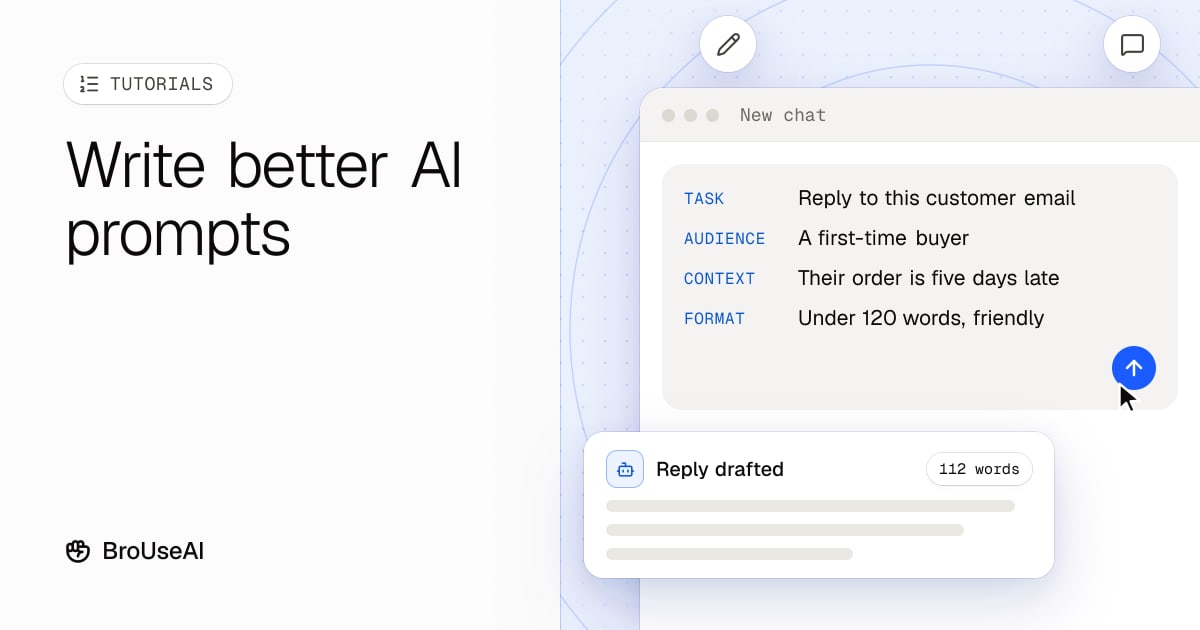
A good AI prompt tells the model five things: what to do, who it's for, the context it needs, the format you want back and what to avoid. Add an example when the style matters, then improve the answer with follow-up messages instead of starting over. This tutorial walks through each step with a template you can copy.
The steps work the same in ChatGPT, Claude, Gemini and most other AI assistants, because they all respond to the same thing: clear, specific instructions.
What makes a prompt good?
A prompt is everything you send the model: your instructions, any text you paste in and the conversation so far. The model can't see your screen, your files or your intentions, only the prompt. Most disappointing answers come from prompts that leave the model guessing.
Compare these two prompts:
Write a product description for our water bottle.
Write a product description for our 750 ml insulated steel water bottle, for an online shop aimed at hikers. Keep it to 80 to 100 words, in a friendly, practical tone. Mention that it keeps drinks cold for 24 hours and fits standard bike bottle cages. Don't use the words "revolutionary" or "game-changer".
The second takes 30 seconds longer to write and saves several rounds of edits.
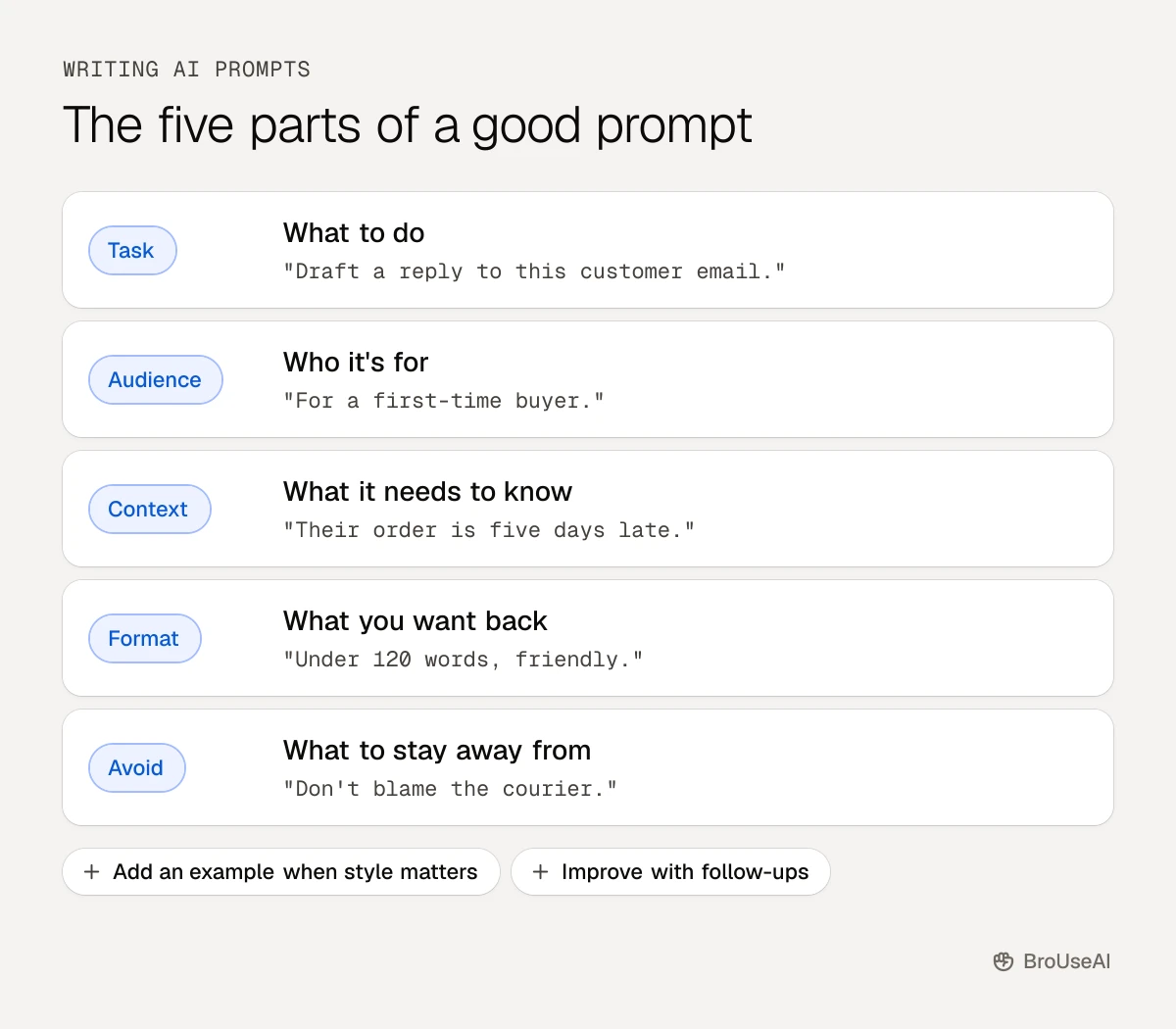
Step 1: Say exactly what you want
Start with a clear action verb and the deliverable: "Summarise", "Rewrite", "Draft", "Compare", "List", "Explain". Then add the details that matter:
- The task: "Draft a reply to this customer email."
- The goal: "…that apologises for the delay and offers a 10% discount code."
- The length: "Keep it under 120 words."
If you catch yourself writing "make it good", replace it with what good means to you.
Step 2: Give it the context it needs
The model only knows what you tell it. Include:
- Who the audience is. "For first-time buyers" gets a different answer than "for engineers".
- Background facts. Paste the email thread, the product details or the notes the answer should be based on.
- Your role or situation. "I'm a freelance designer preparing a quote" helps the model pick the right level of detail.
You can paste in a lot. Models have a large context window, but put the most important instructions at the start or the end, where they're least likely to be overlooked.
Step 3: Ask for a specific format
Tell the model how to lay out the answer, so you can use it straight away:
- "Use a table with columns for tool, price and best for."
- "Give me three options, each one sentence."
- "Answer in bullet points, then a one-line recommendation."
- "Return valid JSON with the keys title and summary."
Formats also make answers easier to check, because missing pieces stand out.
Step 4: Show an example
When the style or structure matters, show the model what you mean. One or two examples usually beat a paragraph of description. This is called few-shot prompting.
Write a tagline for each product, in the same style as the example.

Example:
Product: noise-cancelling headphones
Tagline: Your commute, on mute.

Products:
1. Travel coffee mug
2. Waterproof phone case
Use examples that are similar to your real task, and vary them if you want variety in the answers.
Step 5: Ask it to think it through
For problems with several steps, such as calculations, plans or comparisons, ask the model to work through the problem before answering: "Think through the options step by step, then give your recommendation." This chain-of-thought approach often gives more reliable answers. Many newer models reason this way on their own, but asking still helps you see and check the logic.
Step 6: Improve the answer with follow-ups
Treat the first answer as a draft. Instead of rewriting your whole prompt, reply with what to change:
- "Shorter, and drop the second paragraph."
- "More formal: this is for a client."
- "Point 3 is wrong: our return window is 30 days, not 14. Fix it and keep the rest."
- "Give me five more options in the style of the second one."
Specific feedback works better than "try again". Once you've got a result you like, ask: "Write the prompt I should have used to get this answer the first time." Save that prompt for next time.
A prompt template you can copy
Fill in the brackets and delete any line you don't need:
You are [role, for example "an experienced copywriter"].

Task: [what to do, starting with a verb].
Audience: [who will read or use the result].
Context: [background facts, or "see the text below"].
Format: [length, structure, tone].
Avoid: [words, topics or mistakes to stay away from].

[Paste any text, notes or examples here.]
If you use the same instructions every day, most assistants let you save them as custom instructions or a reusable project, so you don't have to paste them every time.
Common prompt mistakes
- Asking several unrelated things at once. Split them into separate messages.
- Trusting facts without checking. Models can make things up. Ask for sources and verify anything important.
- Pasting sensitive data. Keep passwords, personal data and confidential documents out of prompts unless your tool and company policy allow it.
- Giving up after one try. Two or three follow-ups usually fix a weak first answer.
Prompting well is a skill, and the prompt engineering glossary topic covers the techniques in more depth. Choosing which assistant to prompt matters too: see our checklist for choosing an AI tool.
Frequently asked questions
Do I need to be polite to AI?
Politeness doesn't change what the model can do, but clear, complete sentences often lead to clearer answers. Focus on being specific rather than on the wording of requests.
How long should an AI prompt be?
As long as it needs to be to remove the guesswork. A simple question can be one line; a writing task with a specific audience, format and source material might be a few paragraphs. Clarity matters more than length.
Do the same prompts work in ChatGPT, Claude and Gemini?
Mostly, yes. Clear tasks, context, formats and examples work in every major assistant. Each model has its own strengths and style, so test important prompts in the tool you'll actually use and adjust the wording if needed.