
Genspark AI
Your All-in-One AI Workspace
Overview
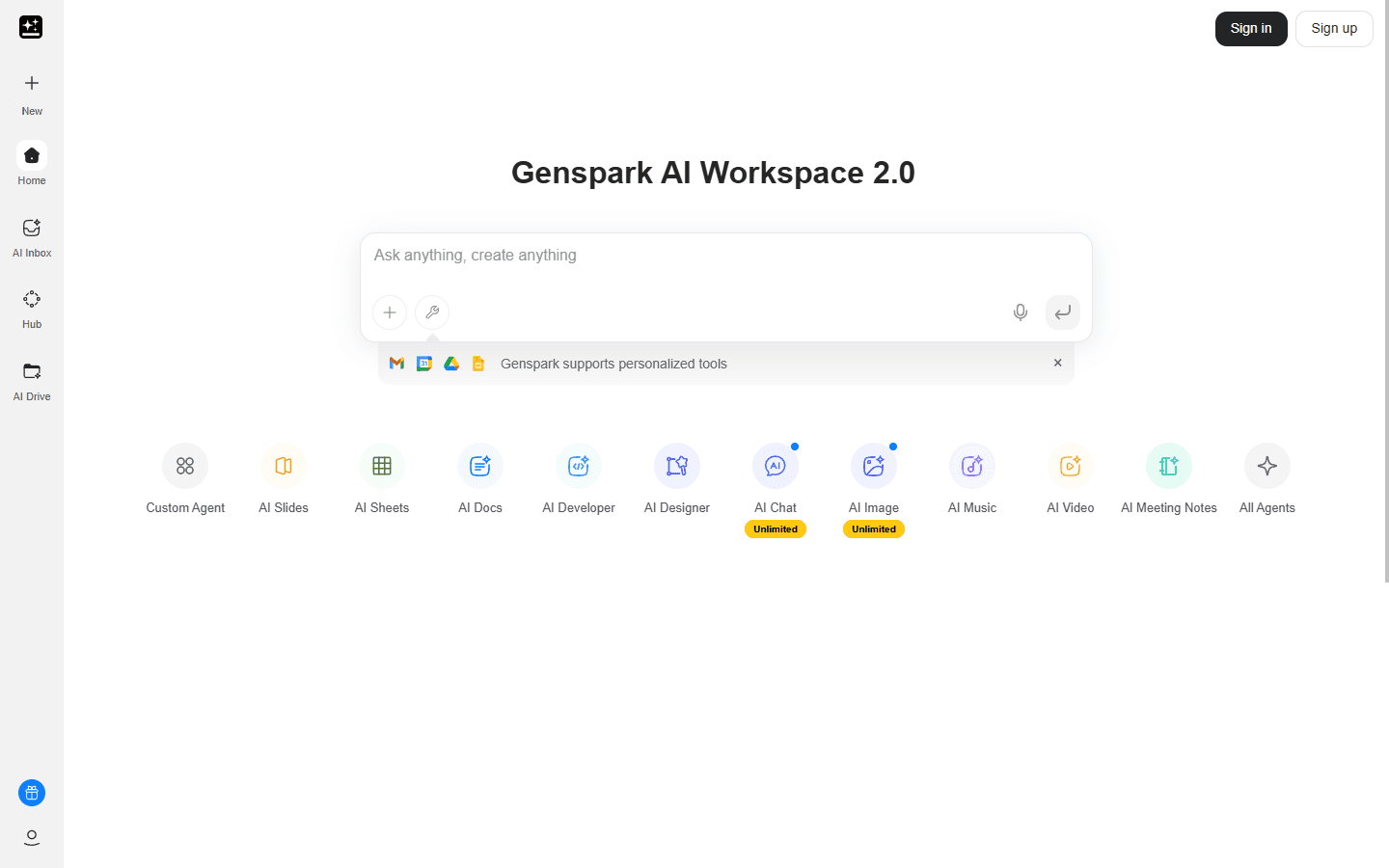
Genspark AI (https://www.genspark.ai/) is an all-in-one AI workspace designed to put repetitive tasks on autopilot so professionals can focus on higher-value work. Built as a unified hub for generative AI, productivity automation, and multimodal content creation, Genspark combines autonomous agents, real-time chat with top-tier models, and end-to-end media generation into a single platform.
Users prompt Genspark and the platform autonomously researches, drafts, designs, and deploys deliverables across docs, slides, spreadsheets, websites, images, video, and audio.
What makes Genspark AI unique is its scope and workflow-first approach: Super Agent automates deep research and fact collection, AI Slides and AI Docs convert prompts into polished presentations and briefs, AI Sheets builds formulas and templates from raw data, and AI Developer scaffolds websites and native apps with GitHub integration.
The platform also exposes a free AI chat layer that routes queries to GPT, Claude, Gemini, Grok, and other up-to-date models, letting teams compare outputs and choose the best result. Mobile and desktop clients extend that capability with Speakly for voice-first writing, AI Drive for centralized content assets, and an AI Inbox to triage communications and generate responses. Genspark supports a credit-based freemium model with in-app purchases and tiered plans for power users and enterprises.
It is optimized for cross-functional teams: product managers create specs, marketers produce campaigns and assets, developers generate code and pull requests, and executives get concise research summaries and meeting notes. Security features include encrypted data in transit, data deletion requests, and configurable retention policies to meet compliance needs.
For designers and creators, integrated image and video models provide rapid prototyping, while templates and automated enrichment save hours on formatting and research. Whether you need autonomous research, fast slide decks, AI-assisted coding, or multimedia production, Genspark AI centralizes capabilities so you spend less time switching tools and more time shipping results.
Core Features
- Super Agent: autonomously research topics and gather structured facts
- AI Slides: generate boardroom-quality presentations from a brief
- AI Docs: draft professional documents using adaptable intelligent templates
- AI Sheets: auto-collect data, build formulas, and create templates
- AI Developer: scaffold sites, apps, and games with GitHub integration
- Multimodal Media: create images, short videos, and audio from prompts
- Speakly Voice Input: convert speech to polished messages and drafts
- Unified Workspace: AI Drive, AI Inbox, Hub for centralized assets
Use Cases
- Create investor pitch decks from a one-paragraph brief
- Auto-generate weekly research digests for product teams
- Transcribe and summarize meetings, then share notes in one click
- Prototype landing pages and deploy with GitHub pull requests
- Turn raw spreadsheet data into charts and actionable insights
- Produce short marketing videos and social assets from prompts
- Convert voice memos into polished emails with Speakly
- Draft legal or HR templates tailored to company inputs
- Generate customer support responses and knowledge-base articles
- Develop lesson plans and educational content for instructors
Pros & Cons
Pros
- Centralizes many AI tools in one workspace
- Autonomous research reduces manual fact gathering
- Fast slide and doc generation saves hours
- Multimodal outputs: image, video, audio support
- Integrates with GitHub for developer workflows
- Voice-first option speeds content creation
- Cross-model chat access for comparison
- Template library accelerates consistency
- Mobile and desktop apps for on-the-go use
- Configurable data retention and deletion options
Cons
- Credit limits can restrict heavy usage
- Media generation may require iterative prompts
- Some advanced features require paid tiers
- Quality varies across models and prompts
- Occasional deployment or export inconsistencies
FAQs
Video Review
Genspark AI Alternatives

Featured

Referent
AI legal agents for law firm operations

AI Image Humanizer
Humanize AI-generated images while preserving their visible appearance

Claude Mark Remover
Remove hidden Claude marks and humanize AI-generated text.

AI Overviews Tracker
Track website mentions and citations across six AI engines

CommentWatchDog
Hide and delete spam comments on Facebook and Instagram ads

RemoveAILabel
Remove AI labels and watermark traces from images and videos

Answer Engine Optimization
See how AI answer engines mention and cite your website.

Token360
One API for 80+ frontier AI models across text, image, audio and video.

WasItAI
Detect whether an image was AI-generated or camera-captured.

C2PA Remover
Check and remove C2PA content credentials